Admissions operations
Treat an enquiry as a person, not a form
A name and a phone number are the start. The useful part is what they asked, what they already heard, and the next action a named person will actually take. A summary is a guide. It is not a promise.
- Where to go
- Users → Leads → select an enquiry
- Who can do this
- Organization members
Start with the lead inbox
A lead is the enquiry captured from a conversation, or added by hand. Details can gather across more than one chat. Search by name, email, phone, or bot, and use the pages of results, before you edit the wrong person.
Look at the bot, the course, the status, the priority, and the contact details you have. An older chat may contain a fact they have since corrected. The latest confirmed detail should win.
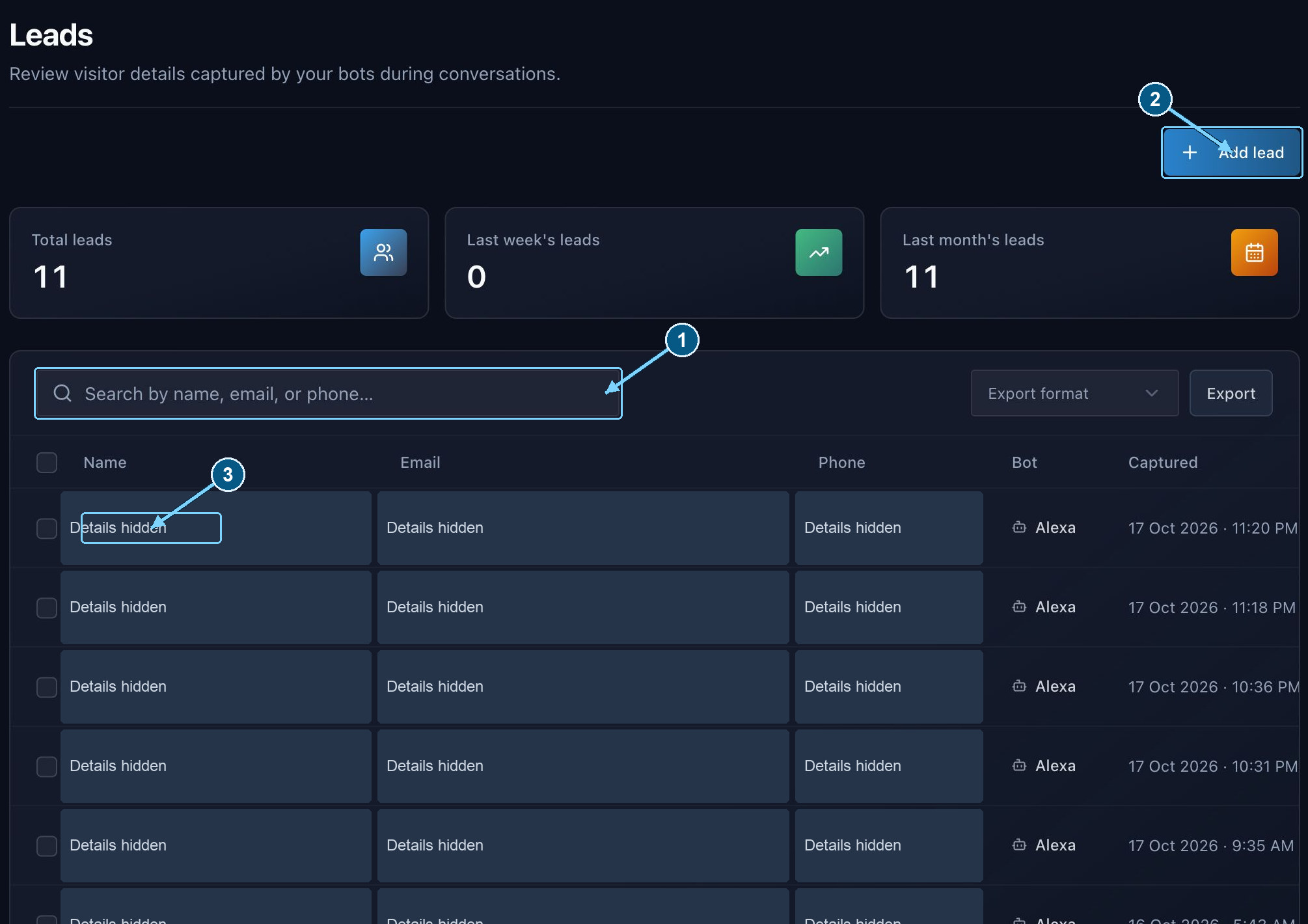
Use the profile and its conversation history together when deciding the next action.
Enlarge- Find an existing enquiry
- Add a manual enquiry
- Open a lead profile
Manual leads, selection, and exports
Add lead records an enquiry your team heard outside the chat. Enter at least an email or a phone number, and record consent the way it was actually given. Creating the lead does not mean this person ever spoke to the bot.
The checkbox in the header selects leads on this page only, not every result on later pages. Bulk removal acts on that selection. Read it before you confirm. Removing a person from the list is not a small tidy-up if the follow-up was still owed.
Choose the export format in the lead list and select Export. Check your filters and the rows you meant, then store the file securely. For a wider backup of the organization, use Subscription → Export records.
Read the profile before contacting anyone
- Read the name, email or phone, topic, programme, education, preferred way of studying, when they hope to join, budget, and any constraint they mentioned.
- Notice who is asking. A parent or guardian may be enquiring for someone else. The next conversation should respect that.
- Read the consent, and the latest correction in the chat. An email address is not permission for every kind of outreach.
- Use the summary to find your place. Before you promise a fee, a date, or a place, check the transcript and your institute’s current policy. Helping someone decide a programme is not for them is still a good outcome.
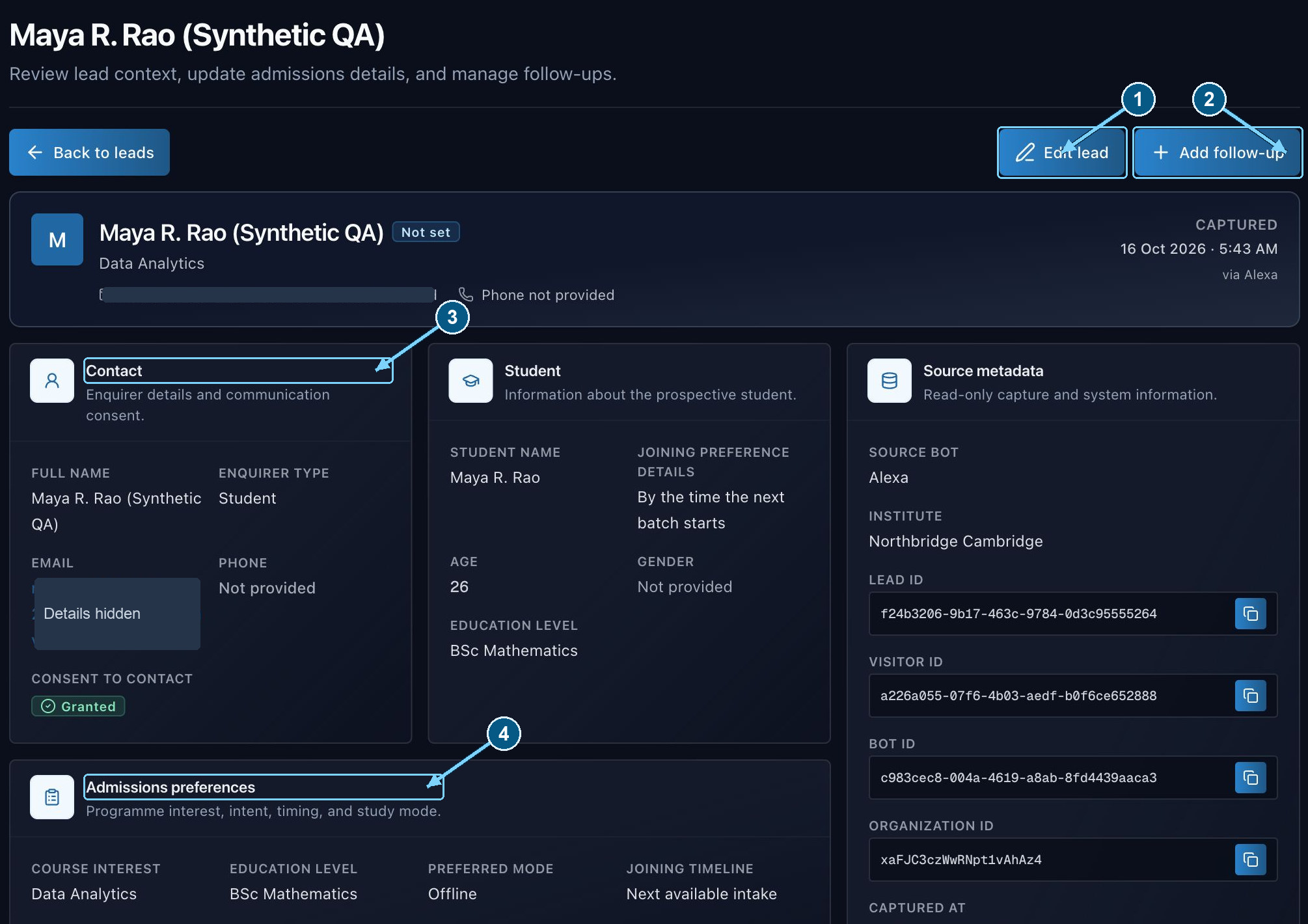
Review saved facts and consent before taking action. A summary can lag behind the most recent conversation.
Enlarge- Correct confirmed profile facts
- Record the next action
- Check contact details and consent
- Review the enquiry context
Record a follow-up and complete it
- 1
Choose the next useful action
A callback, a course-details email, an application follow-up, a demo, or a campus visit. Match it to what they actually asked for. Exploring a course is not a promise to enrol.
- 2
Create the follow-up record
On the lead, set the type, the owner, the timing, the status, and a note. A named owner is how the enquiry avoids becoming everyone’s job and no one’s.
- 3
Carry out the action
The record is a reminder for your team. It does not place the call, send the email, or book the visit.
- 4
Update the result
Write what happened, or why it is still waiting. If they confirm a newer fact, correct the profile. The next person should not have to rediscover it.
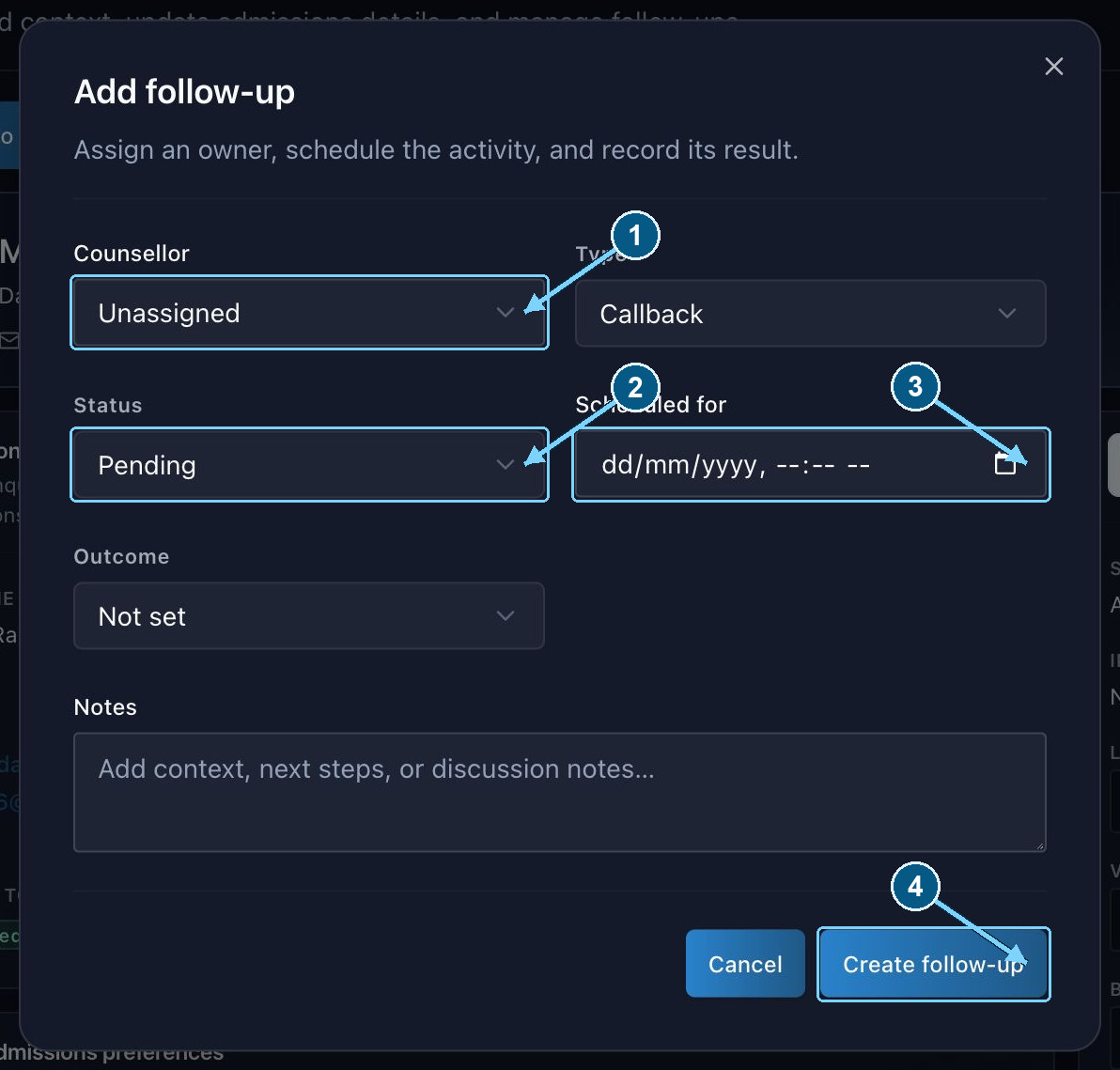
Assign responsibility and record outcomes; do not treat a planned action as a completed commitment.
Enlarge- Assign an organization member
- Track pending versus complete
- Schedule the activity
- Save the next action
Handle corrections and uncertain details
Use the profile’s edit controls for a correction you have verified. Some summary text is generated and cannot be edited in place. Changing a structured field is not the same as rewriting the AI’s history of the chat.
If a summary looks old, see whether the chat has closed and whether the background summary finished. Read the full chat before you correct anything by hand.
Transcripts and leads are kept for a limited time. Save what your admissions process needs before those deadlines. A student should not lose their place in the queue because a record quietly expired.